AURA Technology

Give your app the tools to sense, locate and communicate.

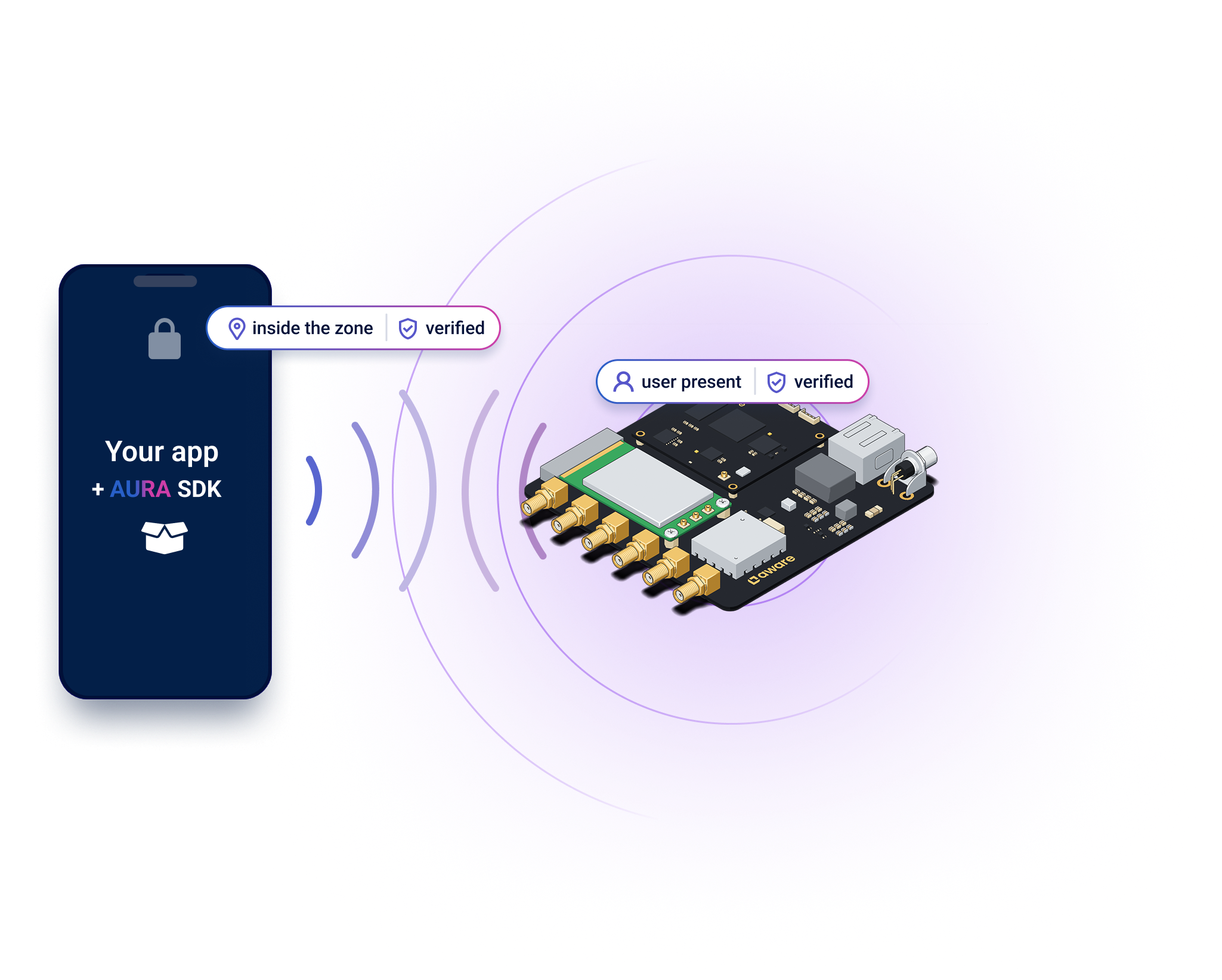
Know when users are present, determine their position and exchange your application's data with on-site hardware.

icons list - Swift, Kotlin, TypeScript, iOS and Android Get Started

Give your app the tools to sense, locate and communicate.

Know when users are present, determine their position and exchange your application's data with on-site hardware.

icons list - Swift, Kotlin, TypeScript, iOS and Android
Overview

Focus on your application logic.

AURA provides the hardware and SDKs. Presence, positioning and two-way data exchange are built in, with authentication and end-to-end encryption.

Your team builds the application logic across the mobile app, on-site software and backend.

Standardized APIs for Android and iOS.

Presence

Know the moment they step inside.

Let your application respond when users enter a defined area—without asking them to take out their phone.

  • Presence confirmed by both your app and AURA hardware
  • Verification over an encrypted session
  • Works with the phone locked and the app in the background
Connection

Exchange your data directly between app and hardware.

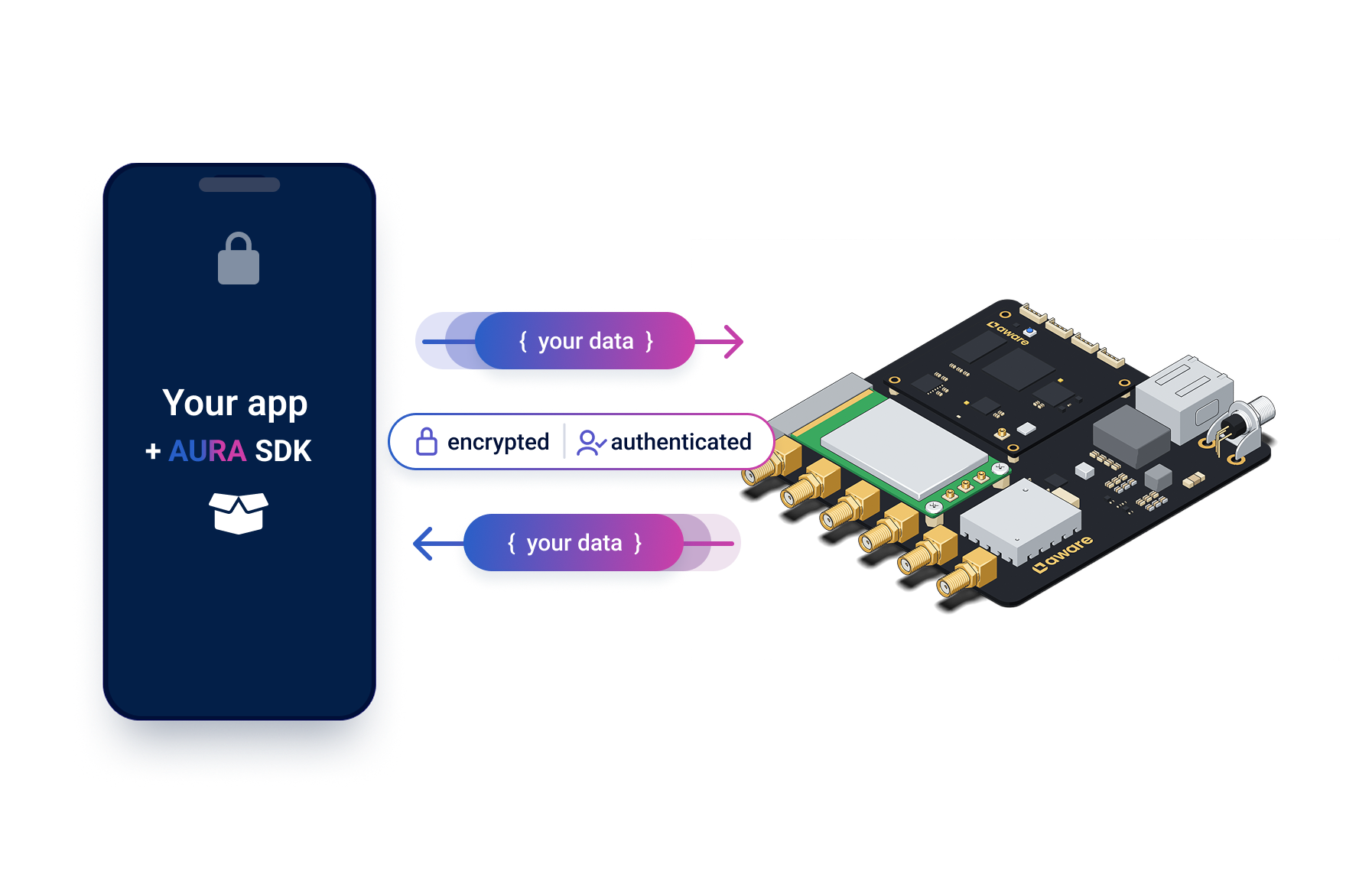
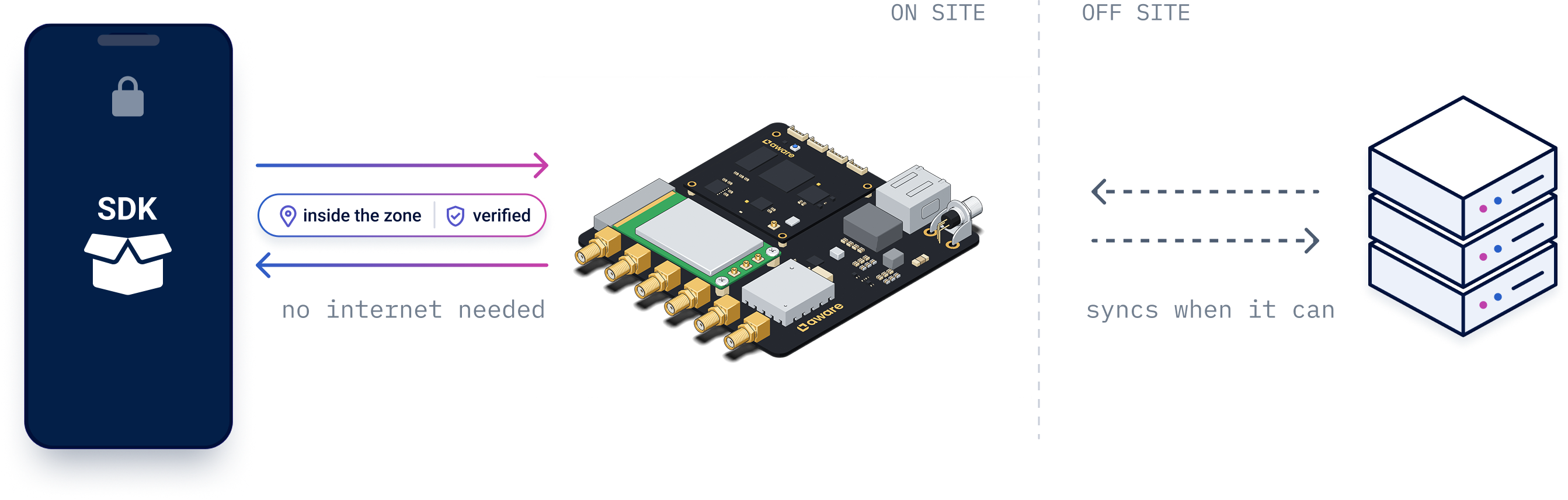
Send and receive the data your application needs, in your own format. AURA's local connection works without internet between the phone and on-site hardware.

  • Encrypted communication between your app and hardware
  • Built-in authentication, or integrate your own
  • Send data to individual apps or broadcast to many at once
Ranging

Know the distance. Know the direction.

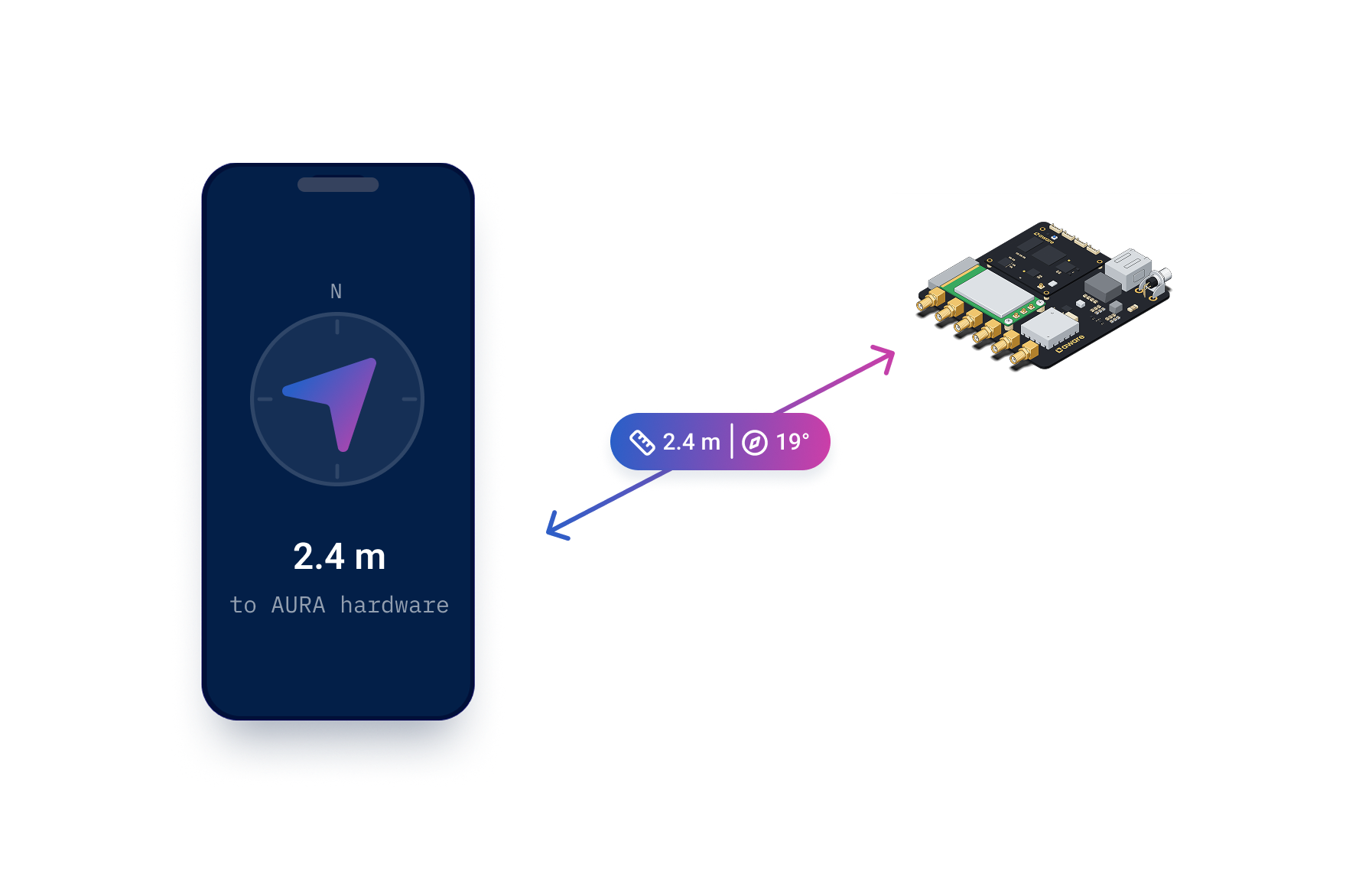
Presence tells your application a user is there. Ranging measures how far their phone is from your AURA hardware and in which direction, as they move.

  • Centimeter-level distance measurement
  • Measured by both the phone and AURA hardware
  • Use position to guide users or trigger interactions
How it Works

How AURA fits into your system.

One SDK for each part: your app, the hardware on site and your backend.

Your app

AURA Mobile SDK

Adds presence, ranging and encrypted messaging to your app.

Your site

AURA Compute SDK

Runs your logic on the AURA hardware, right on site, even offline.

Your backend

AURA Backend SDK

Brings activity from your sites into your backend, and lets you message people thers.

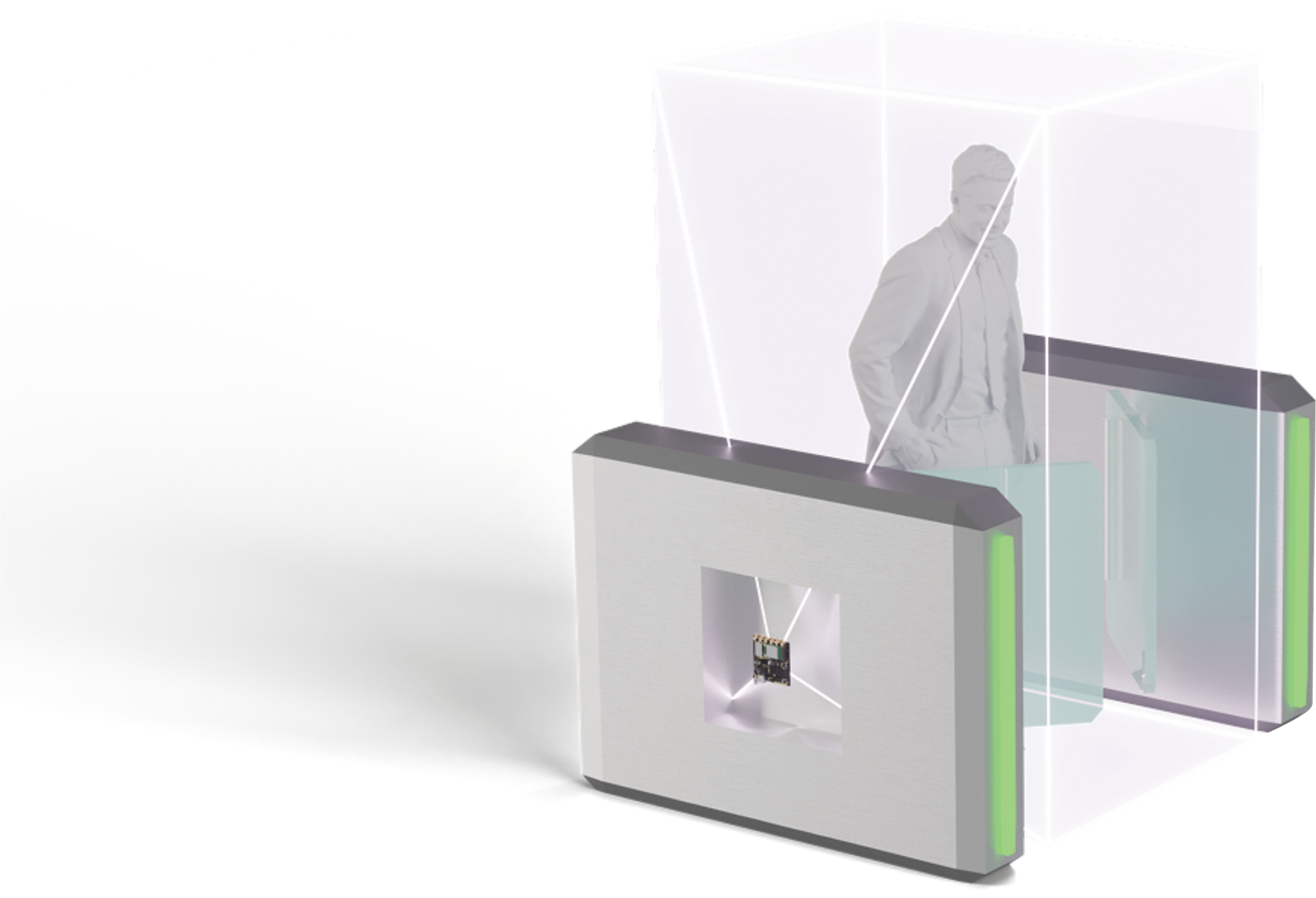
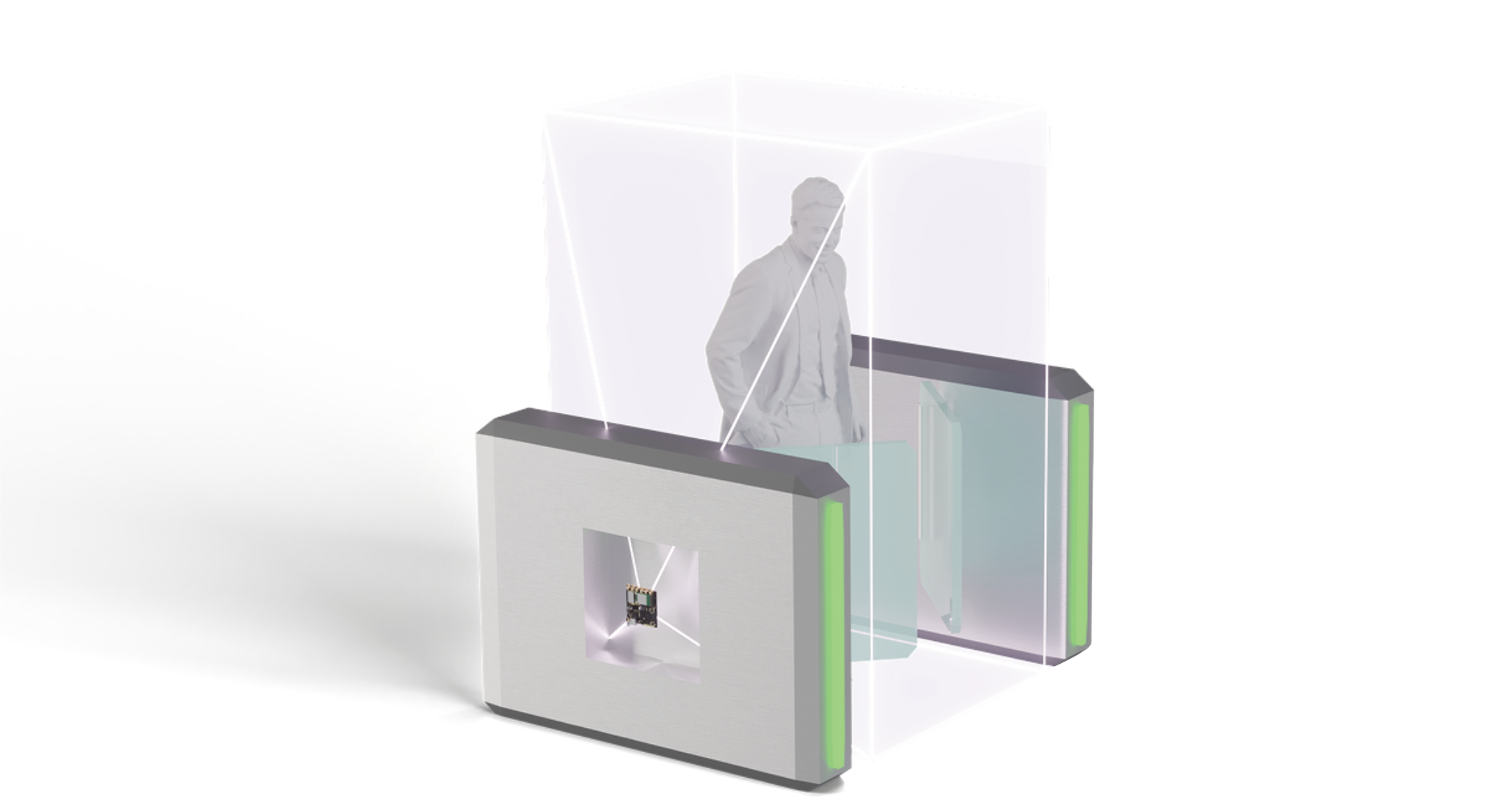
person walking through a terminal gate
For Existing Infrastructure

AURA Hands-Free Access

Equip any access point with hands-free entry. Turnstiles, office gates, building entrances, parking — wherever you control access. AURA Hands-Free Access verifies the user is exactly in the gate — no squeeze-throughs — and communicates with ultra-low latency to your app running the AURA Mobile SDK. Add your authorization logic: time, funding, badge, or custom rules. Gate opens the moment your logic says "go".

Join Waitlist
AURA TAP

The same platform. An intentional moment.

AURA Presence already handles payments, access and check-ins automatically. AURA Tap is for when you want the interaction to be deliberate — when a regulation, an audit trail, or the design of your product requires that the user consciously initiates the action. Same hardware, same SDK, different trigger.

  • Phone stays locked — no Face ID, no screen interaction
  • Two-way encrypted data exchange — your permissions, your data
  • Works offline — no network at the hardware neededs
  • No Apple/Google entitlements, no per-transaction fees
  • Same hardware, same SDK as AURA Presence
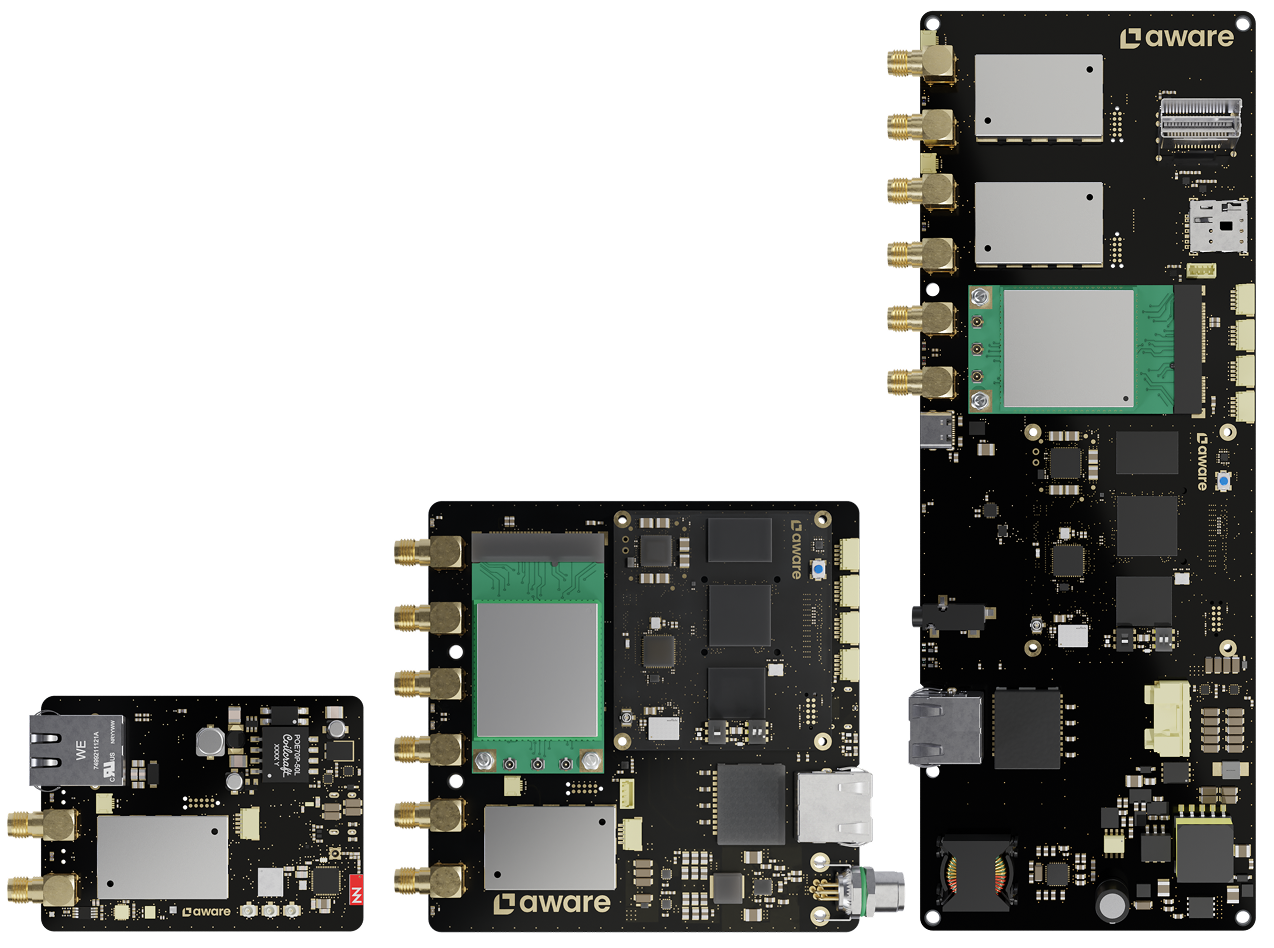
various hardware
AURA Hardware

Ready hardware for your application.

Build with AURA hardware for presence, positioning and data exchange. Choose from models with or without on-device computing to support your on-site application.

Explore the Hardware
Examples

What you can build with AURA.

Build different applications with AURA harware and SDKs.

train icon
transit

Ticketing that runs itself

AURA tells your app when a passenger boards and when they leave. Your app issues the ticket and settles the fare.

Powers intelliTicket Explore intelliTicket
door icon
access

Hands-free access

Verify presence at the gate and let your application decide whether to grant access.

shopping cart icon
retail

A checkout that knows who's there

Let your checkout application reconize which user is present and connect them to their basket.

clock icon
workforce

Attendance without terminals

Use arribal and departure evnts to build attendance and time-recording workflows.

Built with AURA

intelliTicket runs on AURA

Passengers simply board and ride. Built on AURA, intelliTicket automaically checks them in and out and combines the individual legs into a complete journey.

door icon

Checked in on boarding

The moment a passenger steps into the vehicle.

shopping cart icon

Checked out on leaving

No tap at th door and no app to open.

clock icon

Records trips offline

Trips are recorded on board and sync when the connection returns.

Get Started

Start Building

Swift, Kotlin, TypeScript, iOS & Android icons Swift, Kotlin, TypeScript, iOS & Android icons

Turn your infrastucture into an intelligent space. The AURA Mobile SDK enables your app to know where it is. The AURA Compute SDK lets your system know where your users are. Together — hands-free access, centimeter precision, real-time communication.

Start integrating today.

Notebook with harware and phone
Talk to an Expert

Frequently Asked Questions

Does AURA work offline?

Yes. AURA works offline — no WiFi, no cellular, no internet required. Communication happens directly between your app and AURA hardware via BLE and UWB.

Is AURA encrypted and secure?

Yes. All communication between your app and AURA hardware is end-to-end encrypted. Data is verified and cannot be intercepted or tampered with.

Does AURA work in the background? What if the app is killed?

Yes. AURA works in the background. When your app is killed, AURA hardware wakes it up automatically — triggers, zone detection, and communication continues seamlessly.

Can locations be spoofed?

No. AURA uses verified positioning — the hardware confirms the user is physically present. Location cannot be faked or spoofed like GPS or beacon-based systems.

What's the difference between Edge and Gateway series?

  • Edge: The Edge handles computing and radio. The AURA Compute SDK runs directly on it and does not require an external computing platform.
  • Gateway: The Gateway handles radio only, while the AURA Compute SDK runs on your computing platform (server, PC, or cloud) and requires a stable connection to it.

What's the difference between Mobile SDK and Compute SDK?

  • Mobile SDK: Runs on your users' phones (iOS/Android). It enables your app to know where it is, receive triggers from the Compute SDK, and communicate with your infrastructure.
  • Compute SDK: Runs on your Edge device or computing platform (Node.js/TypeScript). It enables your system to know where all users are, send triggers to the Mobile SDK, and manage zones.

What can I build with AURA?

  • Access: Hands-free entry for doors, gates, turnstiles, and parking. No badges, no taps, no friction.
  • Transit: Ticket validation as passengers walk through. Verified boarding. Verified exit. No scanners needed.
  • Retail: Self-checkout that know who you are. Customers identification. Verified exit. Personalized offers based on location.
  • Workplace: Badge-free office access. Presence monitoring. Time tracking. Meeting room detection. All without cameras.
  • Automation: Zone-based triggers. Location-based notifications. Two-way communication between your app and infrastructure.
  • Positioning: Real-time indoor positioning. Movement patterns. Dwell time. Occupancy monitoring. Centimeter precision.
  • Security: Anti-tailgating. Verified presence. Location that cannot be spoofed.

How do I get started?

Start with an AURA Development Kit. It includes hardware, SDK access, sample apps, and documentation. Choose the Edge 200 Development Kit (self-contained) or Gateway 200 Development Kit (bring your own computing platform). Explore Development Kits.